

Why Use a Home Project App for Your Renovation
TL;DR:
- Home project apps centralize budgets, tasks, and documentation for renovations, reducing errors and disputes. They enable real-time tracking, organized photo timelines, and seamless communication, even offline. Using these tools enhances decision-making, accountability, and project confidence for homeowners and contractors alike.
A home project app is a digital tool that organizes, tracks, and manages every element of a home renovation in one centralized place. If you have ever juggled sticky notes, text threads, spreadsheets, and email chains on a single remodel, you already know why that system fails. Tools like Home Stories, Habitas, and Joist replace that scattered approach with real-time budget tracking, photo timelines, task management, and exportable reports. The result is fewer surprises, fewer disputes, and a project that stays closer to its original budget and timeline. This guide explains exactly what these apps do and why using one is the most practical decision you can make before your next renovation.
Why use a home project app for budget control
Budget overruns are the most common and most painful part of any renovation. A home project app solves this by replacing budgets on sticky notes or spreadsheets with a system that organizes every line item and updates totals the moment you enter a change. That real-time visibility is what separates a project that stays on track from one that quietly spirals.
Manual budgeting fails for a simple reason: it is static. You write down an estimate, something changes on site, and that change never makes it back to the spreadsheet. Over a multi-week remodel, those gaps accumulate into a number that shocks you at the end. App-based budgeting closes that loop by making every update immediate and visible to everyone involved.
Here is what a good home project app does for your budget that a spreadsheet cannot:
- Real-time line item tracking: Every material purchase, labor charge, and change order updates the running total instantly.
- Change order logging: Approved changes are documented with dates and amounts, so nothing gets added verbally and forgotten.
- Visual spend charts: Phase-by-phase breakdowns show exactly where money is going before a phase is complete.
- Early overrun alerts: The app flags when a category is approaching or exceeding its allocation, giving you time to adjust.
- Audit-ready records: Digital tools reduce guesswork and improve confidence from demo to final walkthrough, because every number has a source.
The comparison between manual and app-based budgeting is not close. A spreadsheet requires discipline to maintain and offers no alerts. An app like Home Stories or a construction estimating tool does the maintenance for you and surfaces problems before they become expensive.
Pro Tip: Every time a contractor proposes a change on site, log it in the app before agreeing verbally. A change order entered immediately is a record. A change order remembered three days later is a guess.
The financial benefit of this approach compounds across a project. Homeowners who track costs in real time make better decisions at every stage, from choosing materials to deciding whether a scope addition is worth the cost.
What documentation features do renovation apps provide?
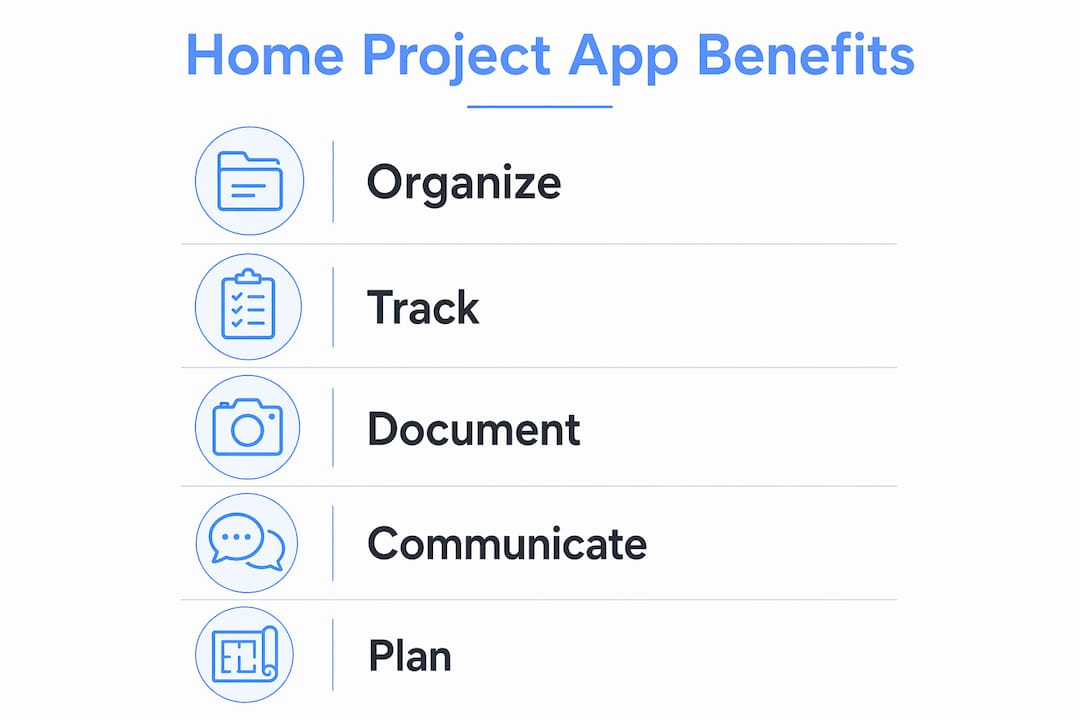
Renovation documentation is more than photos on your phone. A dedicated app provides end-to-end project documentation that includes budget tracking, task management, photo timelines, and one-tap PDF exports for sharing with contractors, insurers, or future buyers.
The documentation value becomes clear the moment something goes wrong. A contractor disputes when a decision was made. An insurer asks for proof of completed work. A buyer at resale wants records of what was replaced and when. Without organized documentation, you are relying on memory and scattered messages. With an app, you have timestamped photos, signed change orders, and a full project report ready to export in seconds.
Here is a step-by-step look at how renovation apps handle documentation:
- Create a project and set phases. Define your project scope by phase, such as demo, framing, electrical, finish work, and final inspection.
- Log tasks within each phase. Assign tasks to specific phases with due dates, responsible parties, and material or fixture details attached.
- Capture photos continuously. Photograph work at each stage. The app organizes images by date and phase automatically, creating a visual timeline of progress.
- Record materials and fixtures. Log product names, model numbers, suppliers, and costs directly in the app so you have a complete materials record.
- Export a PDF report. When a phase ends or a contractor needs a summary, generate a report that includes budget, tasks, photos, and notes in one shareable document.
- Store permits and warranties. Attach digital copies of permits, warranties, and receipts to the relevant project phase so they are never lost.
Apps like Home Stories are fully offline capable with iCloud sync, which means you can document work on site even without a Wi-Fi connection. The data syncs automatically when you reconnect. That matters on job sites where connectivity is unreliable.
Pro Tip: Use photo timestamps as evidence for quality and dispute resolution. A photo taken before drywall goes up proves what is behind the wall. That evidence is worth far more than any verbal agreement.
The exportable PDF report feature is particularly underused by first-time renovators. Sharing a clean, organized report with a new contractor eliminates hours of re-explanation and sets a professional tone for the working relationship.
How do home project apps improve communication and coordination?
Renovation failures often result from communication breakdowns, and apps address this directly by keeping all project knowledge in one accessible place. When permits, warranties, receipts, and progress photos live in a single platform, there is no ambiguity about what was agreed, approved, or completed.
The coordination problem in renovations is structural. You are managing a homeowner, one or more contractors, possibly a designer, and sometimes an insurer, all of whom need different pieces of information at different times. Without a central platform, that information travels through texts, emails, and verbal conversations. Things get lost. Disputes follow.
A home project app creates a single source of truth. The benefits of that centralization include:
- Preserved approvals: Change orders and scope adjustments are logged with dates, so no one can claim they were not informed.
- Accessible permits and warranties: Documents are stored in the app and available to anyone you share the project with, not buried in an email thread.
- Reduced repeated explanations: When a new subcontractor joins mid-project, you share the app record instead of spending an hour catching them up.
- Visible risk and schedule issues: Project management dashboards make risks and schedule problems harder to ignore, turning reactive management into proactive control.
Organizations using project management software report 35% better on-time delivery. That figure reflects what happens when everyone on a project sees the same information at the same time. Delays from missed inspections or approvals become far less likely when centralized platforms manage task dependencies and sequence events correctly.
Pro Tip: Before your project starts, share the app with every stakeholder, including your general contractor and any key subcontractors. A shared record from day one prevents the “that’s not what we agreed” conversation from ever happening.
The communication benefit also extends to your own household. When a spouse, partner, or family member wants a project update, you send them the report instead of reconstructing the entire status from memory.
How do AI features and offline mobile tools help diyers and contractors?
The gap between a design idea and a buildable plan has always been the hardest part of DIY renovation. AI-driven tools in apps like Habitas now close that gap by converting photos and design concepts into step-by-step actionable plans with difficulty ratings and categorized materials lists. That output is contractor-ready, meaning you can hand it directly to a professional without translating your vision into technical language.
This feature changes how homeowners approach the planning phase. Instead of describing what you want and hoping the contractor interprets it correctly, you upload a photo, receive a redesign in multiple styles, and export a structured plan that includes every material category, estimated difficulty, and sequenced build steps. The contractor gets clarity. You get accountability.
The table below compares traditional planning methods with app-based planning for a typical bathroom remodel:
| Planning Element | Manual Method | App-Based Method |
|---|---|---|
| Budget tracking | Spreadsheet updated manually | Real-time line item updates with alerts |
| Materials list | Handwritten or memory-based | AI-generated, categorized, exportable |
| Progress photos | Camera roll, unorganized | Timestamped, phase-sorted, shareable |
| Contractor communication | Texts and emails | Centralized record with approvals logged |
| Offline access | Paper notes | Full app functionality, auto-syncs on reconnect |
| Report generation | Manual compilation | One-tap PDF export |
Offline-capable mobile apps ensure continuous project management even without internet, while syncing automatically when connectivity resumes. For a homeowner walking a job site in a basement or a rural property, that reliability is not a convenience. It is a requirement.
The AI execution plan feature also benefits experienced DIYers who know what they want but need help sequencing the work. A difficulty rating on each step helps you decide which tasks to handle yourself and which to hand off to a licensed professional. That decision, made early and based on real information, saves both time and money.
For homeowners planning their 2026 home renovation, the combination of AI planning tools and offline mobile documentation represents the most practical upgrade available. The technology exists, it is accessible, and it works.
Key takeaways
A home project app is the most effective way to prevent budget overruns, communication failures, and documentation gaps across any renovation project.
| Point | Details |
|---|---|
| Centralized budgeting | Apps replace spreadsheets with real-time line item tracking and overrun alerts. |
| Complete documentation | Photo timelines, task logs, and PDF exports create a full project record. |
| Communication control | A single source of truth reduces disputes and preserves approvals and permits. |
| AI-powered planning | Tools like Habitas convert design ideas into contractor-ready materials lists and build steps. |
| Offline reliability | Apps like Home Stories work without internet and sync automatically, supporting on-site use. |
What i have learned from using home project apps
I started using renovation tracking apps out of frustration, not enthusiasm. After a bathroom remodel where a contractor claimed he had never been told about a tile change, and I had no written record to prove otherwise, I decided that memory and text messages were not a project management system.
The first thing I noticed after switching to a dedicated app was how much time I stopped wasting. Every new contractor I brought in got a PDF report instead of a 45-minute phone call. The centralized photo timelines and exportable reports eliminated the need to recreate context from scratch every time a new person joined the project. That time savings alone justified the switch.
The second thing I noticed was how much more confident I felt in conversations with contractors. When you have a timestamped record of every decision, you stop second-guessing yourself. You know what was agreed, when it was agreed, and who approved it. That confidence changes the dynamic of every site visit.
My honest recommendation is to treat the app as the project’s single source of truth from the first day of planning, not from the first day of construction. Capture your inspiration photos, your initial budget, your contractor shortlist, and your permit applications in the app before a single wall comes down. The organized digital records of change orders, receipts, and warranties you build from that point forward will protect you at every stage, including resale.
One caution: choose an app that matches your project scope. A simple task tracker works for a paint job. A multi-phase kitchen remodel needs budget tracking, photo documentation, and contractor communication features. Picking the wrong tool and abandoning it mid-project is worse than using no tool at all.
— Devin
Ready to find the right contractor for your project?
A home project app gives you the plan. Bidwolf gives you the professionals to execute it. Once your project is documented and your scope is clear, the next step is finding a vetted local contractor who can deliver the work at a competitive price.
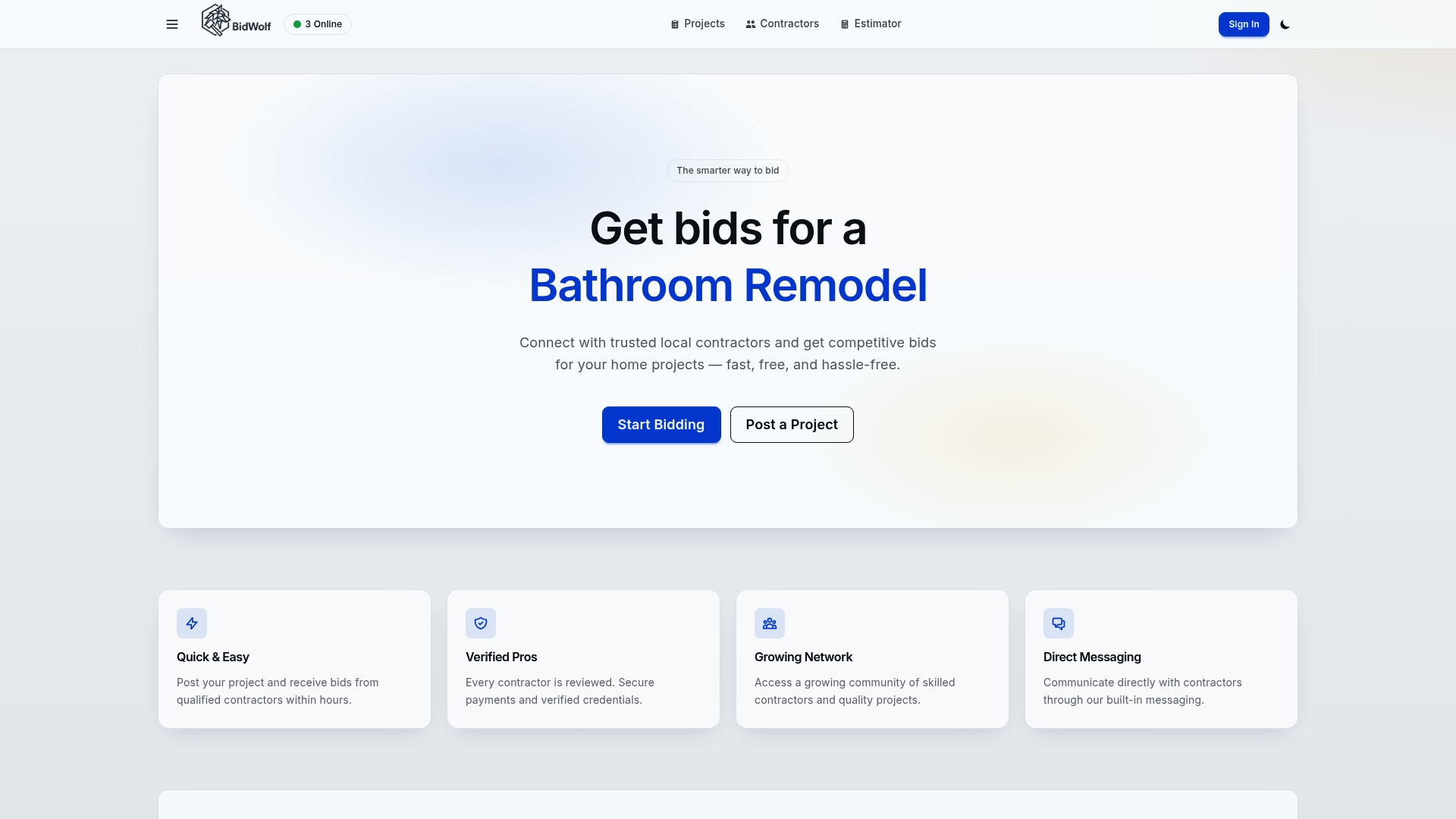
Bidwolf connects Texas homeowners with verified local contractors across bathroom remodels, roofing, electrical work, landscaping, and more. You post your project and receive competitive bids from qualified professionals, with built-in messaging to communicate directly and secure payments to protect both sides. If you want to know what your project should cost before you post, use the free cost estimator to set a realistic budget. Your project app and Bidwolf work together: one organizes your plan, the other connects you to the people who build it.
FAQ
What is a home project app used for?
A home project app organizes budgets, tasks, photos, and documents for home renovations in one digital platform. It replaces scattered spreadsheets, texts, and paper notes with a centralized, real-time project record.
Do home project apps work without internet access?
Apps like Home Stories are fully offline capable and sync automatically via iCloud when connectivity resumes. This makes them reliable for on-site documentation in basements, rural properties, or areas with poor signal.
How do home project apps help with contractor communication?
Apps store change orders, permits, receipts, and approvals in one place, giving every stakeholder access to the same information. This reduces disputes and eliminates the need to recreate project context for each new contractor.
Can a home project app help with DIY planning?
Yes. Tools like Habitas use AI to convert design photos into categorized materials lists, difficulty ratings, and step-by-step build plans. This output helps DIYers sequence their work and decide which tasks require a licensed professional.
Are home project apps worth it for small renovations?
For small projects like painting or flooring, a basic task tracker is sufficient. For anything involving multiple contractors, permits, or a budget over a few thousand dollars, a full-featured app pays for itself by preventing a single missed change order or disputed approval.